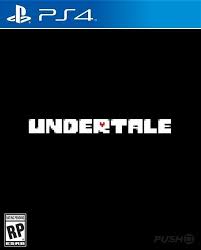
Undertale PS2 Port
A downloadable game
This is a port for ps2 of undertale!
You need a pirated version from ps2 for use this.
FOLLOW THE INSTALL INSTRUCTIONS
Download
Install instructions
Undertale on PS2 - Complete Guide for Fans!
Hey everyone! Thanks for checking out the project. If you want to take your Undertale experience to the next level and run it directly on real, nostalgic PlayStation 2 hardware, this guide is for you!
We are using Butterscotch, an amazing open-source project that replicates the GameMaker engine for the PS2. You don't need to download any sketchy programs to build it—everything is done directly in your web browser.
Here is the exact step-by-step on how to get it running!
What You Need
- A legal copy of Undertale for PC (v1.08 works best!).
- A web browser.
- A PlayStation 2 console with FreeMcBoot and Open PS2 Loader (OPL).
- A USB flash drive formatted to FAT32.
Step-by-Step Instructions
Step 1: Find your data.win file
- Open the folder where Undertale is installed on your PC.
- Steam users: Right-click Undertale in your library Manage Browse local files.
- Look for a file named
data.win. Copy it to your desktop to keep it handy.
Step 2: Create your PS2 ISO
- Open your browser and go to the official tool website: <a href="https://butterscotch.mrpowergamerbr.com/" class="qNqJIe" target="_blank" rel="noopener" data-hveid="CAAIDBAB" ping="/url?sa=t&source=web&rct=j&url=https://butterscotch.mrpowergamerbr.com/&ved=2ahUKEwjKkfvhz_mUAxVxr5UCHQjPJOMQy_kOegYIAAgMEAE&opi=89978449" data-copy-service-computed-style="font-family: " google="" sans",="" arial,="" sans-serif;="" font-size:="" 16px;="" font-weight:="" 500;="" margin:="" 0px;="" text-decoration:="" underline="" 1px="" rgb(153,="" 195,="" 255);="" border-bottom:="" 0px="" 255);"=""></a>
<a href="https://butterscotch.mrpowergamerbr.com/" class="qNqJIe" target="_blank" rel="noopener" data-hveid="CAAIDBAB" ping="/url?sa=t&source=web&rct=j&url=https://butterscotch.mrpowergamerbr.com/&ved=2ahUKEwjKkfvhz_mUAxVxr5UCHQjPJOMQy_kOegYIAAgMEAE&opi=89978449" data-copy-service-computed-style="font-family: " google="" sans",="" arial,="" sans-serif;="" font-size:="" 16px;="" font-weight:="" 500;="" margin:="" 0px;="" text-decoration:="" underline="" 1px="" rgb(153,="" 195,="" 255);="" border-bottom:="" 0px="" 255);"="">mrpowergamerbr.com</a>
- Drag and drop your
data.winfile into the page. - Wait a few moments for the website to cook the game files.
- Once done, it will automatically download a ready-to-play
.isofile to your PC.
Step 3: Setup your USB Drive
- Plug your FAT32 USB drive into your PC.
- In the root of your USB drive, make sure you have a folder named
DVD(all uppercase). If you don't see it, just create one! - Move your freshly downloaded
.isofile right inside thatDVDfolder.
Step 4: Time to Play!
- Unplug the USB from your PC and plug it into your PS2.
- Boot up your console and open Open PS2 Loader (OPL).
- Go to the USB Games tab, select the game, and press X to launch!
Important Notes & Limitations (Please Read!)
Since this is an experimental community homebrew project, please keep these quirks in mind before your playthrough:
- The Save System: Saving and loading is currently unstable. If you die, the game might trap you in the "dog check room," forcing a full restart.
- Laggy Areas: Expect some heavy slowdowns and frame drops in specific rooms with lots of moving objects.
- The Muffet Battle: This boss fight is currently broken due to hardware limitations, making the game very difficult or impossible to progress past this point normally.
Disclaimer: This is an unofficial, fan-made runtime. You must provide your own legally purchased game files to use this tool.
Enjoy taking determination to your PS2! Let me know in the comments if you encounter any bugs.